
6 Best Laptop & Phone Accessories Every Student Must Have
Don’t let power cuts or low storage stop your learning! Discover the 7 essential laptop and phone accessories every Nigerian student needs from reliable Power Banks and OTG drives to ergonomic keyboards
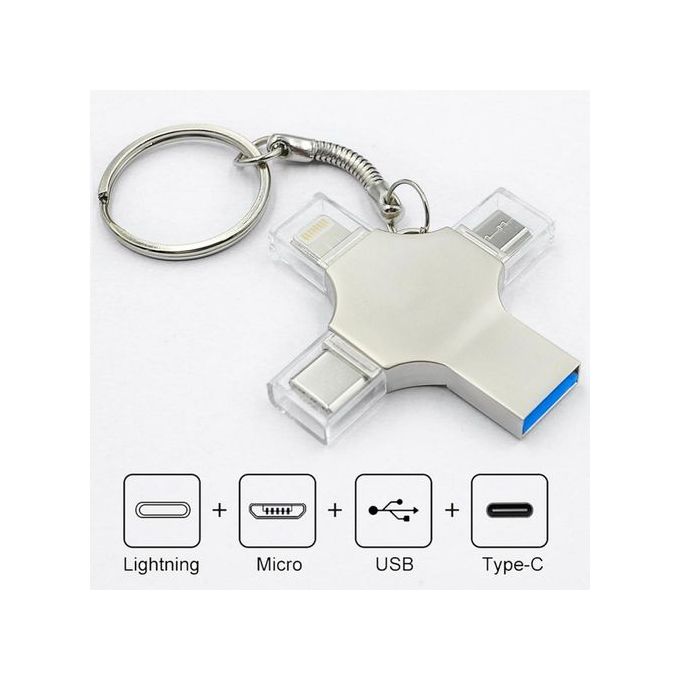
AN OTG (ON- THE- GO) FLASH DRIVE

An OTG flash drive can be very useful for a student, especially in today’s digital learning environment
Importance of an OTG flash drive for a student
files transfer without a laptop You can easily transfer assignments, lecture notes, or projects between your phone and other devices without needing a computer, Example; download lecture slides on your phone and move them directly to the flash drive to use later on a pc
Extra storage Many students run out of phone memory because of PDFs, videos and images. An OTG drive expands your storage instantly. Useful for saving e-books, lecture recordings, or research materials. this drive helps you in storing your document files such as pdf files and Microsoft word documents, it can be used on your android phone and also on a laptop, OTG drive is fast and reliable while transferring a folder or a file. You can
The new Slimbook has KDE Plasma and a Ryzen 9 CPU

HEADPHONE
Importance of headphones to a student
online learning & classes with virtual lectures, zoom/Google meet classes, or recorded lessons, headphones help you hear clearly without distractions. They ensure privacy when studying in public spaces (hostel, library, café)
Focus & concentration: Noise-canceling or even regular headphones help block out background noise. Listening to calm music, white noise, or instrumental tracks can improve concentration during study sessions.
Relaxation & stress Relief School life can be stressful. Listening to music, podcasts, or audiobooks through headphones can help you relax after classes.

RELIABLE POWER BANK
Uninterrupted learning Students use smartphones, tablets, or laptops for online research, reading e-books, attending virtual classes, and watching tutorials. A power bank ensures their study sessions aren’t cut short when there’s no access to electricity
Emergency Situations In case of power outages or while traveling, students can still keep their phones charged to make important calls, submit assignments, or access study materials.

Extension Socket/Surge Protector for Multiple Devices
Multiple Devices Charging Students often use laptops, phones, tablets, and rechargeable lamps at the same time. An extension socket allows charging all devices from a single power source
Flexibility Long cord extension sockets with surge protection can prevent damage to devices caused by power fluctuations.
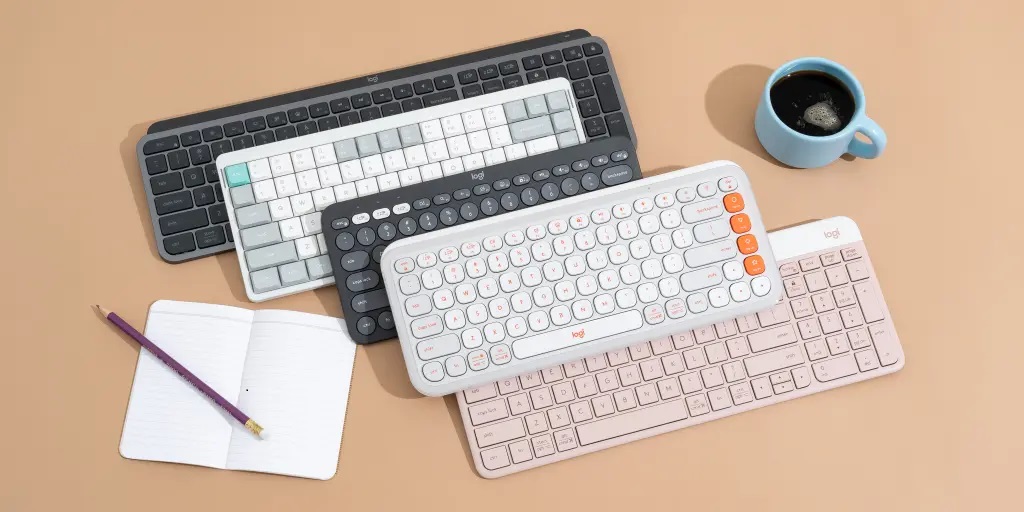
Boost Typing Comfort: External Keyboard
An external keyboard provides a full-sized, more comfortable, and often more responsive typing experience than a laptop or tablet’s built-in keys.

EXTERNAL MOUSE
While most laptops have a trackpad, an external mouse offers greater precision, speed, and comfort, especially for detailed tasks.
benefits explaination for students
| Superior Precision and Control | A mouse provides much more accurate and fine-tuned cursor control than a trackpad. This is crucial for tasks like graphic design, detailed work in spreadsheets, navigating complex software for science or engineering, or even efficiently highlighting and editing text in a long research paper |
Ergonomic Hand Position | Trackpads often require repetitive, small finger movements that can lead to strain. A contoured, ergonomic external mouse allows the hand and wrist to rest in a more natural position (some are designed to feel like a “handshake”), reducing strain and muscle fatigue during extended computer use. |
| Increased Speed and Productivity | For general navigation, selecting text, and moving between applications, a mouse is significantly faster and more intuitive than a trackpad, saving valuable time during study sessions. Many mice also have extra, programmable buttons that can be set as shortcuts for common tasks. |
| Versatility | A mouse is often a better tool for quick, on-the-spot adjustments, especially when participating in online meetings or collaborating on documents, giving the student immediate and responsive control. |